

Share your experience. Help someone feel less alone.
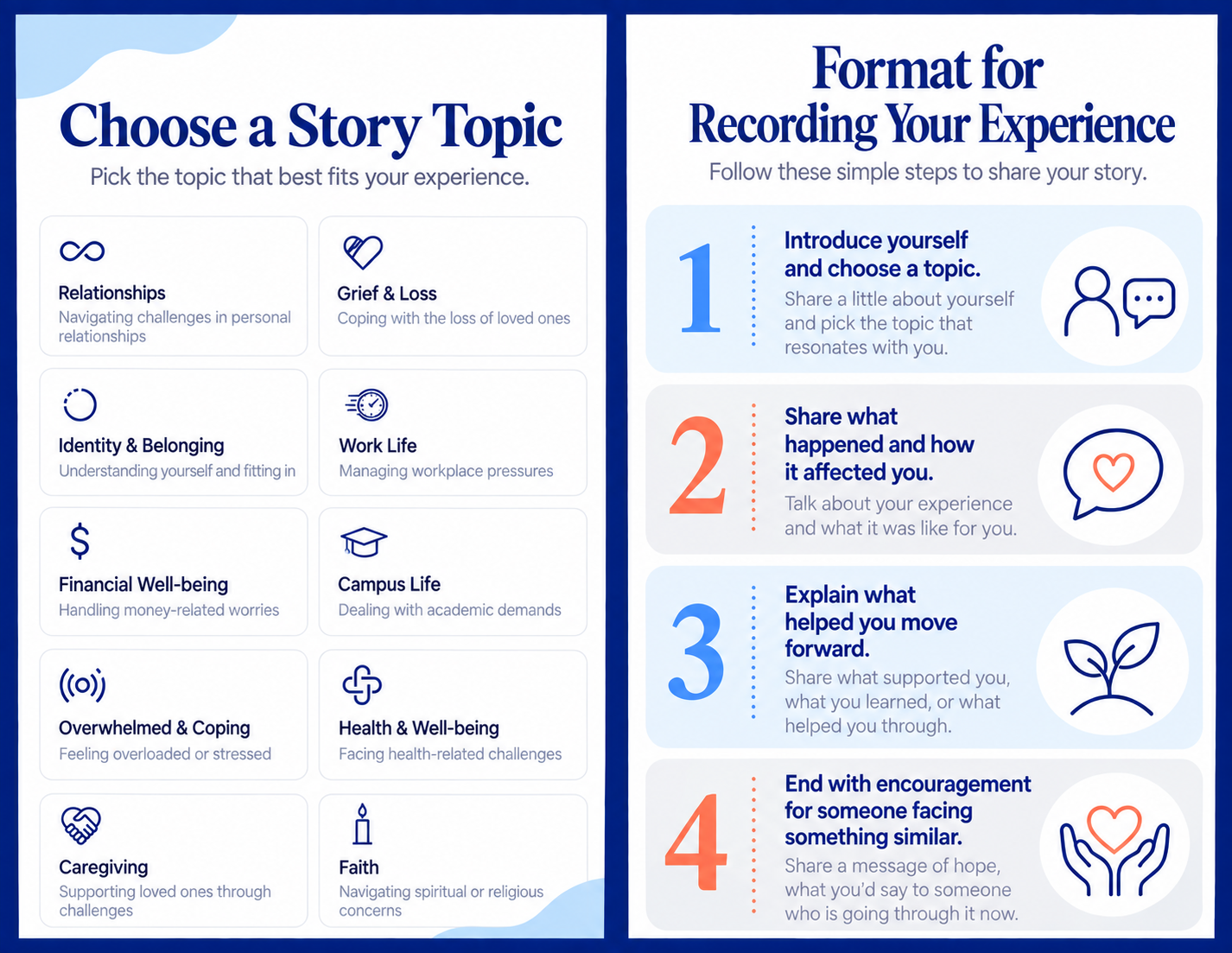
Create your Peer profile and record 3 audio and 3 video stories based on your lived experience.
6 total stories • 45 seconds–3 minutes each • recorded in the Peer Web App
Assignment Overview
-
Complete Your Profile
-
Upload Current Headshot
-
Record audio and video
First story is reviewed for quality.
Once approved you can add more!
-
Review before submitting
Playback your story to catch any obvious errors.
-
Write a 3-5 sentence Bio
Include brief "About Me" for your profile to standout!


Story Preparation
- Tell us about a time you were overwhelmed. What was affecting you? How did you help yourself regain calm?
- Tell us about a time you needed support but couldn’t find it. What did you end up finding comfort in and how did you eventually find like-minded individuals?
- What does community mean to you? How has your community impacted your life?
- Tell us about a time that you navigated a health challenge. What was the turning point for you and how did you grow through the experience?
Members will not hear these questions, so answer naturally as part of your story rather than reading the prompt aloud.
Profile Photo + "About Me"
Set up your Peer profile within our Peer Web App at https://peerconnection.kindlyhuman.io/ This step gathers everything we need to introduce you authentically and professionally to members. You’ll provide your contact information (kept fully private from members), upload a profile image, and begin recording your three audio & video experiences directly in the app.
Peers are required to use a current photo of themselves as their profile picture. Your image should reflect a friendly, professional presence—think business casual, approachable, and clear.
-
Face the camera
-
No hats, sunglasses, filters, or AI-generated images
-
Simple background with good lighting.


Writing Your About Me
Your "About Me" helps members get a warm first impression of who you are, so keep it brief, authentic, and focused on what you want others to know about you.
Aim for 3–5 sentences that highlight a few key pieces of your story—such as your background, interests, values, or what inspires you to connect with others. You don’t need to share anything overly personal or detailed; think of it as a friendly introduction that reflects your personality and the heart you bring to this role. If you’re unsure where to start, consider what you’d say if someone asked, “Tell me a little about yourself.” Keep it simple, genuine, and written in your natural voice.
Example: As a parent of three elementary age kids, I usually keep busy driving around town. When I’m not volunteering, I play pickleball in a league, and spend time in my garden. I’ve got a lifetime of experiences to draw upon and hope they're meaningful to you.
Recording Requirements

For every recording:
- Speak naturally and honestly from your own lived experience.
- Use your first name only; do not share private identifying details.
- Record in a quiet space and make sure your voice is clear.
- Aim for the stated campaign length and review playback before submitting.
Video only:
- Record vertically with the phone at eye level.
- Use a steady frame, clear lighting, and a simple background.
- Keep your full face visible with comfortable space around your head.
Audio only:
- Keep the phone or microphone still and close enough for clear sound.
- Use a new topic or a meaningfully different angle from a video story.
Story Submission & Next Steps
- Submit each recording through the Peer Web App at peerconnection.kindlyhuman.io
- The Kindly Human team reviews your profile and stories.
- If a revision is needed, you will receive clear feedback.
- Approved stories become available to members.
- If applicable, payment sent according to agreements.
Have questions?
We are here to help! If you need clarity on how to set up your profile, prepare your story or decide what to upload for your profile picture - we are happy to support you along the way. Simply click the Contact Us button to email with peers@kindlyhuman.com